Every second counts in the digital economy. While most businesses focus heavily on marketing, many overlook the technical foundation that supports those efforts.
Recurring web development mistakes can create a “leaky bucket” effect, where you spend thousands on ads and content only to have users bounce because of a broken interface or slow load times.
Whether you are a startup founder or an experienced developer, identifying web development mistakes early is the difference between a high-ranking authority site and a digital ghost town. This guide breaks down the most critical errors and how to fix them for modern search engines (AEO and GEO).
Let’s get started.
1. Ignoring Mobile-First Indexing
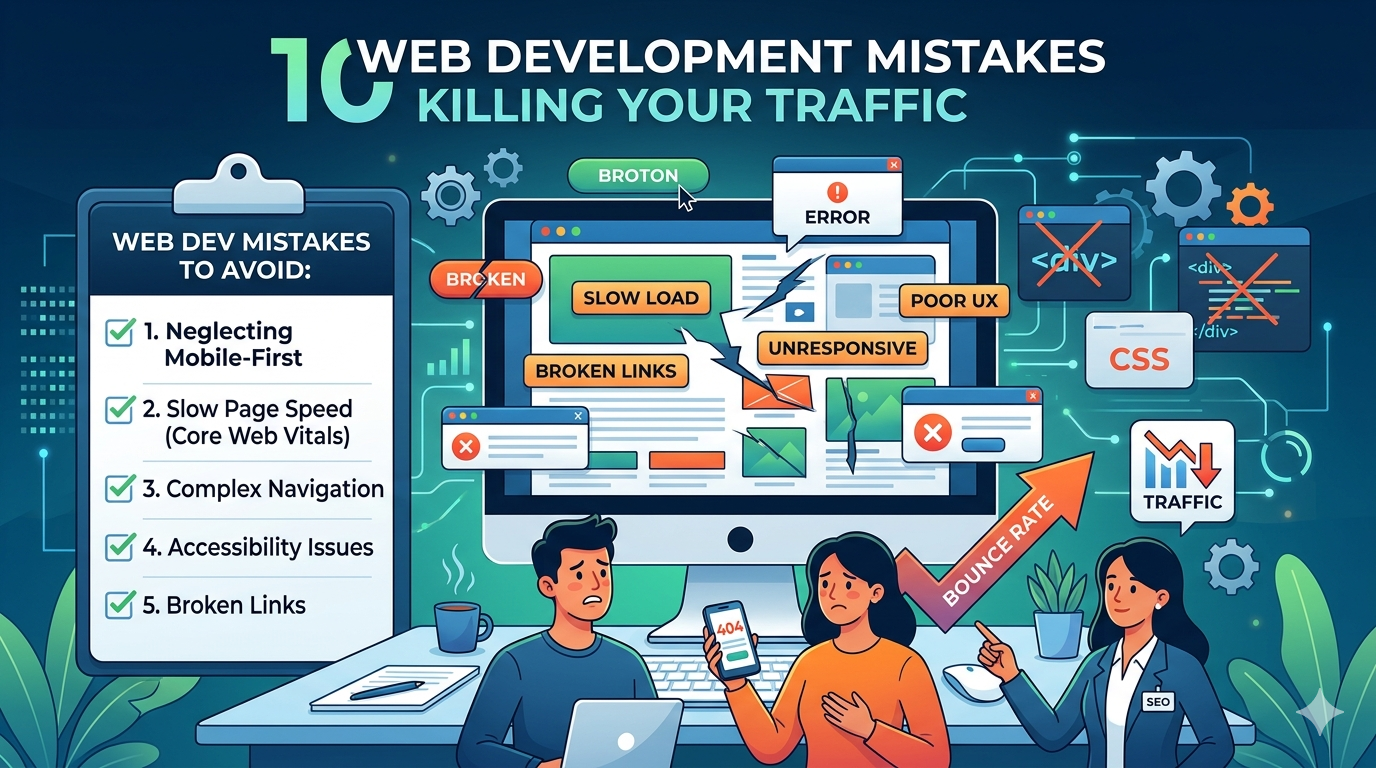
One of the most frequent web development mistakes is designing for the desktop first and treating mobile as an afterthought. Since Google moved to mobile-first indexing, your mobile site is essentially your only site in the eyes of the search crawler.
- The Issue: Hidden elements on mobile, non-responsive buttons, and overlapping text.
- The Fix: Use CSS Flexbox or Grid to ensure a fluid layout. Test your site using Google’s Mobile-Friendly Test tool regularly to avoid poor website design issues.
2. Neglecting Page Load Speed (Core Web Vitals)
Speed is a confirmed ranking factor. A common web development mistake is bloating the site with unoptimized scripts and massive image files. If your site takes longer than 3 seconds to load, you’ve likely already lost 40% of your audience.
- LSI Keywords: Largest Contentful Paint (LCP), Cumulative Layout Shift (CLS), Image Compression.
- How to Optimize: Use WebP image formats, implement lazy loading, and minimize CSS/JS files to prevent technical website errors.
3. Poor Navigation and User Experience (UX)
If a user can’t find what they need in three clicks, your site architecture has failed. Complex navigation is among the top web development mistakes that lead to high bounce rates.
- The Issue: “Mystery meat” navigation, where links aren’t clearly labeled.
- The Fix: Stick to a logical hierarchy. Use breadcrumbs to help users and search engines understand your site structure, reducing poor website design issues.
4. Overlooking Accessibility (WCAG Compliance)
Web accessibility isn’t just a legal “nice-to-have”; it’s a standard for modern SEO. Failing to include alt text or proper color contrast is a significant web development mistake.
- AEO/GEO Tip: AI agents and voice assistants rely on structured data and alt text to “read” your site. Proper accessibility ensures these engines can cite your content accurately.
5. Broken Links and 404 Errors
Nothing kills professional credibility faster than clicking a link that leads nowhere. Frequent 404 website errors signal to Google that your site is unmaintained, which can tank your rankings.
- The Fix: Use tools like Screaming Frog to audit your site monthly. Set up 301 redirects for any deleted pages to steer clear of this common web development mistake.
6. Lack of HTTPS and Security Protocols
In 2026, a “Not Secure” warning is a death sentence for conversions. Operating without an SSL certificate is an amateur web development mistake that is easily avoidable.
- The Impact: Most modern browsers will block access or warn users, leading to massive traffic drops and website errors in your analytics.
7. Cluttered Layouts and “Wall of Text”
Visual hierarchy matters. Poor website design issues often stem from a lack of white space. When users see a wall of text, they don’t read; they leave.
- The Solution: Use bullet points, short paragraphs, and H2/H3 headers. This structure makes it easier for Generative Engine Optimization (GEO) to summarize your key points for AI-generated answers.
8. Inefficient Use of JavaScript
While JavaScript (JS) allows for interactive features, over-reliance on it can lead to web development mistakes regarding crawlability. If your content is only rendered via client-side JS, search engines might miss it entirely.
- LSI Keywords: Server-side rendering (SSR), Hydration, DOM.
- The Fix: Ensure your critical content is available in the initial HTML or use Server-Side Rendering (SSR).
9. Ignoring “Search Intent” in Layouts
Sometimes, the web development mistakes aren’t technical, but conceptual. If a user searches for an “Informational” topic, but your page layout looks like a “Transactional” checkout page, they will bounce.
- The Fix: Align your page components with the search intent. Informational pages should prioritize readability and quick answers to rank well in AEO (Answer Engine Optimization).
10. Lack of Structured Data (Schema Markup)
The final web development mistake is failing to communicate with search engines in their own language. Schema markup tells Google what your data means, not just what it says.
- Why it matters for GEO: AI engines use Schema to pull “rich snippets” (like ratings, prices, or FAQs). Without it, your site is invisible to the next generation of search.
Comparison: Good vs. Bad Web Development
| Feature | Poor Practice (Mistake) | Best Practice (Optimized) |
| Images | High-res JPEGs (2MB+) | Compressed WebP (<100KB) |
| Mobile | Desktop-only view | Fully Responsive Design |
| Security | HTTP | HTTPS (SSL Certified) |
| Links | Broken/Dead links | Clean 301 Redirects |

Frequently Asked Questions (FAQs)
Q1: What are the most common web development mistakes for beginners?
The most common web development mistakes for beginners include ignoring mobile responsiveness, failing to optimize images for speed, and neglecting basic SEO elements like meta tags and header hierarchies.
Q2: How do website errors affect my SEO ranking?
Frequent website errors, such as 404 pages or 500 server errors, signal to search engines that your site is unreliable. This results in lower crawl frequency and a drop in search engine results page (SERP) rankings.
Q3: Can poor website design issues impact my conversion rate?
Absolutely. Poor website design issues like confusing navigation, lack of clear Calls to Action (CTAs), and slow load times frustrate users, leading them to abandon your site for a competitor’s.
Q4: How do I optimize my site for AEO and GEO?
To optimize for AEO and GEO, you must avoid web development mistakes like a lack of structured data. Focus on clear, concise headings, use Schema markup, and ensure your site provides direct answers to common user questions.
Q5: Is JavaScript bad for SEO?
JavaScript is not inherently bad, but improper implementation is a major web development mistake. Ensure your site uses progressive enhancement so that the core content is accessible even if JS fails to load.
Conclusion
Avoiding these web development mistakes requires a proactive approach to site maintenance. By focusing on speed, mobile accessibility, and clean code, you eliminate website errors that hold your business back. Start by auditing your current site for poor website design issues and implement the fixes mentioned above to secure your spot on page one.
Ready to boost your site’s performance? Focus on the user first, and the search engines will follow.
Read our other articles:
The Critical Importance of Brand Identity for Modern Business
Top 10 Effective Branding Strategies For Startups in 2026
Top 7 Web Development Trends 2026 You Must-Know
Custom Website vs Template? The Ultimate 2026 Guide
SEO for Small Businesses: The Ultimate 2026 Growth Guide
10 Best Social Media Marketing Tips for Small Businesses
10 Critical Digital Transformation Benefits for Growth
Scaling Businesses with Tech: The Ultimate 2026 Guide
10 Pro Tips to Choose the Best Web Development Company
Website Redesign Checklist: The Ultimate 2026 Guide
Custom Web Development vs WordPress: Which Is Better?
SEO for Beginners: The Ultimate 2026 Strategy Guide
10 Common Logo Design Mistakes to Avoid in 2026
10 Proven Email Marketing Tips to Boost Conversions
Master Your Digital Marketing Strategy: The 2026 Growth Playbook
The Ultimate On-Page SEO Checklist for 2026 Rankings
Website Speed Optimization: The 2026 SEO Growth Guide
The Ultimate Guide to Brand Identity Design in 2026
Rebranding Strategy Guide: 2026 Trends & Proven Steps